2026-09-14 · 8 min read · Bay Area
How to Plan Bay Area Home Showings When You Work From Home
Working from home changes the showing plan
A showing request can arrive in the middle of a meeting, while your equipment is running, or when private work is spread across the room. If every request forces you to invent a new plan, selling starts to interfere with the job that still has to happen inside the house.
Home showings when you work from home need a repeatable routine. Buyers need reasonable access to understand the property. You need a protected place to work, a clear rule for confidential material, and enough notice to reset the room without panic.
At Crypton Realty, I want this worked out before the Bay Area home goes live. The plan should support the sale without asking you to pretend you no longer live or work there.
Decide what the office needs to show
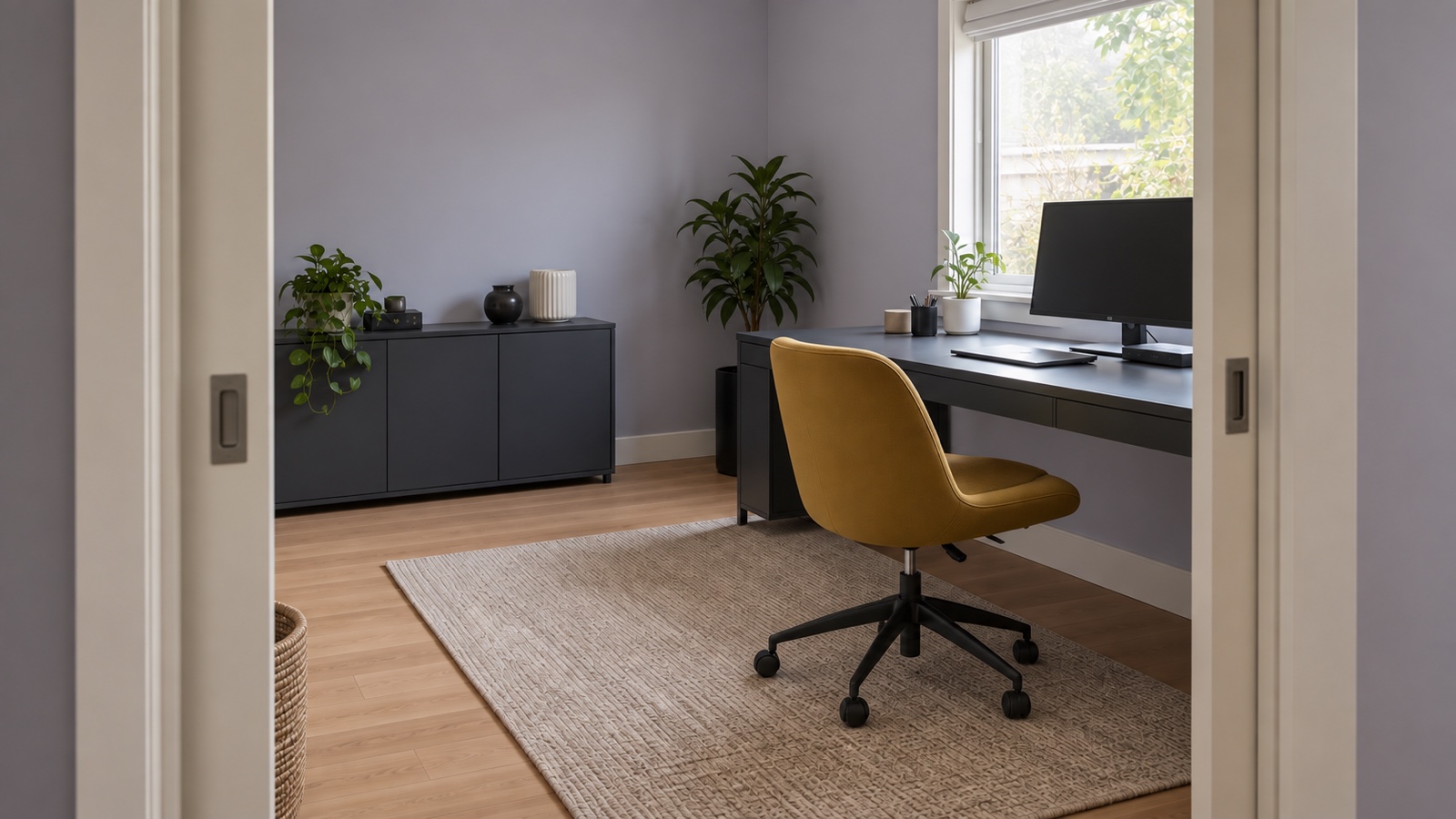
A home office can be an important room, but the buyer still needs to see the property rather than your workday. Identify what belongs to the home. That may include the room size, window, closet, built-in storage, door, outlets, or connection to nearby rooms.
Separate the equipment that explains the room from the equipment that overwhelms it. One desk and chair can make the use clear. Extra monitors, shipping supplies, exercise gear, boxes, and temporary storage can hide the walls and floor.
Do not strip the room until it looks false. Use the same principle as the guide to preparing a home for listing photos. Give the room one readable job.
Set access expectations before the launch
Your showing plan should begin with your real calendar. Mark the meetings you cannot move, the work that requires quiet, and the times when equipment cannot be shut down quickly. Then decide which access periods you can support consistently.
This is not a promise that every buyer will want the same time. It gives your agent something honest to work with when requests arrive. A clear answer is easier to manage than a schedule that changes every day.
Talk through how requests will be confirmed, how much notice you need when possible, and what happens when a request conflicts with work. Those details depend on the property, your instructions, and the way access is being managed. Confirm the plan with your agent instead of relying on a generic showing rule.
Remove work information from view
A blank monitor is not enough if notes, badges, labels, calendars, client names, access codes, prototypes, or confidential material remain nearby. Buyers may look at the room from several angles, and a dark screen or glass surface can reflect more than you expect.
Create one secure destination for anything that should not be seen. It should be outside the areas buyers may need to view and appropriate for the material you are protecting. Do not use a closet, drawer, cabinet, or garage corner if that space needs to remain accessible during the showing.
Clear work information before photography as well as before buyer access. The images can stay online and be shared. The privacy check in the listing photo guide applies to your office every day the home is being marketed.
Build a fast equipment reset
Closing a laptop is easy. Resetting a desk with several screens, cables, a microphone, speakers, chargers, and other equipment can turn into a daily project. The answer is not to unplug everything and rebuild it after each visit.
Group the items that can stay connected. Use cable management that keeps cords off the floor and away from walkways. Give small equipment one container or cabinet that can be moved to its secure location without sorting each piece again.
Take a photo after the room is ready for access. That becomes the reset standard. You should be able to compare the room with the photo and see what is out of place without making a new decision. The broader guide to packing before listing can help you remove the equipment and household overflow you will not need during the sale.
Choose a backup place to work
Even a careful schedule needs a backup. A buyer may have limited availability, a confirmed appointment may overlap with a new meeting, or your regular alternative may be unavailable.
Choose a place where you can work without depending on the home. Check what your job requires before you rely on it. Think about privacy, calls, power, internet access, seating, travel time, and whether you can remain there if a showing takes longer than expected.
Prepare the items you would need to leave without searching the house. Keep work equipment separate from the basket or container used for the showing reset. One supports your job. The other clears the room. Combining them makes both harder to manage.
Plan for calls, internet, and deliveries
Some work cannot be paused by closing a door. A live call may reveal private information. An upload may be interrupted if equipment moves. A delivery may arrive during the showing.
Identify those conflicts before access begins. Move sensitive calls to your backup location when needed. Finish work that depends on the home network before disconnecting equipment. Adjust delivery instructions when you can.
Do not leave a recording device, camera, or live meeting running in a space buyers will enter. Talk with your agent about security or monitoring equipment at the property and follow the applicable rules.
Keep the daily reset small
A routine fails when it asks you to clean the whole house every time someone wants to visit. Separate the daily work reset from the larger home preparation plan.
At the end of the workday, clear private material, return portable equipment to its place, empty cups and dishes, and reset the desk. Before a confirmed showing, check the chair, cords, floor, wastebasket, window covering, lights, and the path through the room.
If you have pets, connect this routine with the pet showing plan so you are not managing two separate departures. Keep each list short enough that another person in the household can follow it without asking you where everything goes.
Adjust the plan for shared buildings
A condo or townhome may add an entry system, elevator, common hallway, front desk, garage access, or association rule to the showing route. Your office may be ready while the buyer still cannot reach the unit.
Confirm how access will be handled and which common areas a buyer may view. Do not prop open a door, share an access code casually, or assume a locked amenity area is available.
The home and building need one coordinated plan. A page such as selling a home in Alameda County cannot replace instructions for the actual property and schedule.
Make the plan before the first showing request
Working from home is not the problem. An improvised plan is the problem. Decide what the office needs to show, remove private information, create one equipment reset, set workable access periods, and choose a backup place before launch.
Test the routine. Leave the room, come back as if you were seeing it for the first time, and check whether the space is clear and the work is protected. If the reset takes too much effort, reduce what remains in the office.
Connect this routine with the larger Bay Area home-selling process. Read how I prepare and launch a Bay Area home. If work and buyer access already feel like they will collide, send me your schedule and a few photos of the office. I will help you plan before requests begin.